
From a lost chargeback to a clear next step.
Your Shopify app and website work together. Bring the records into one place, review what happened and decide which cases should move forward.
Sign in. Choose your Shopify store.
Create your website workspace with Google or a verified email link. Open the Commerce Recovery app on Shopify and choose your store there. You do not need to know your store’s Shopify URL.
Start connecting your storeConnect once. Keep both workspaces in sync.
Install or open the app, choose Open website workspace and confirm access to your own store. Sync your Shopify Payments chargebacks in the app; the website uses those same records. Connecting and syncing do not send customers messages.
See the Shopify recovery workflowReview the loss before taking action.
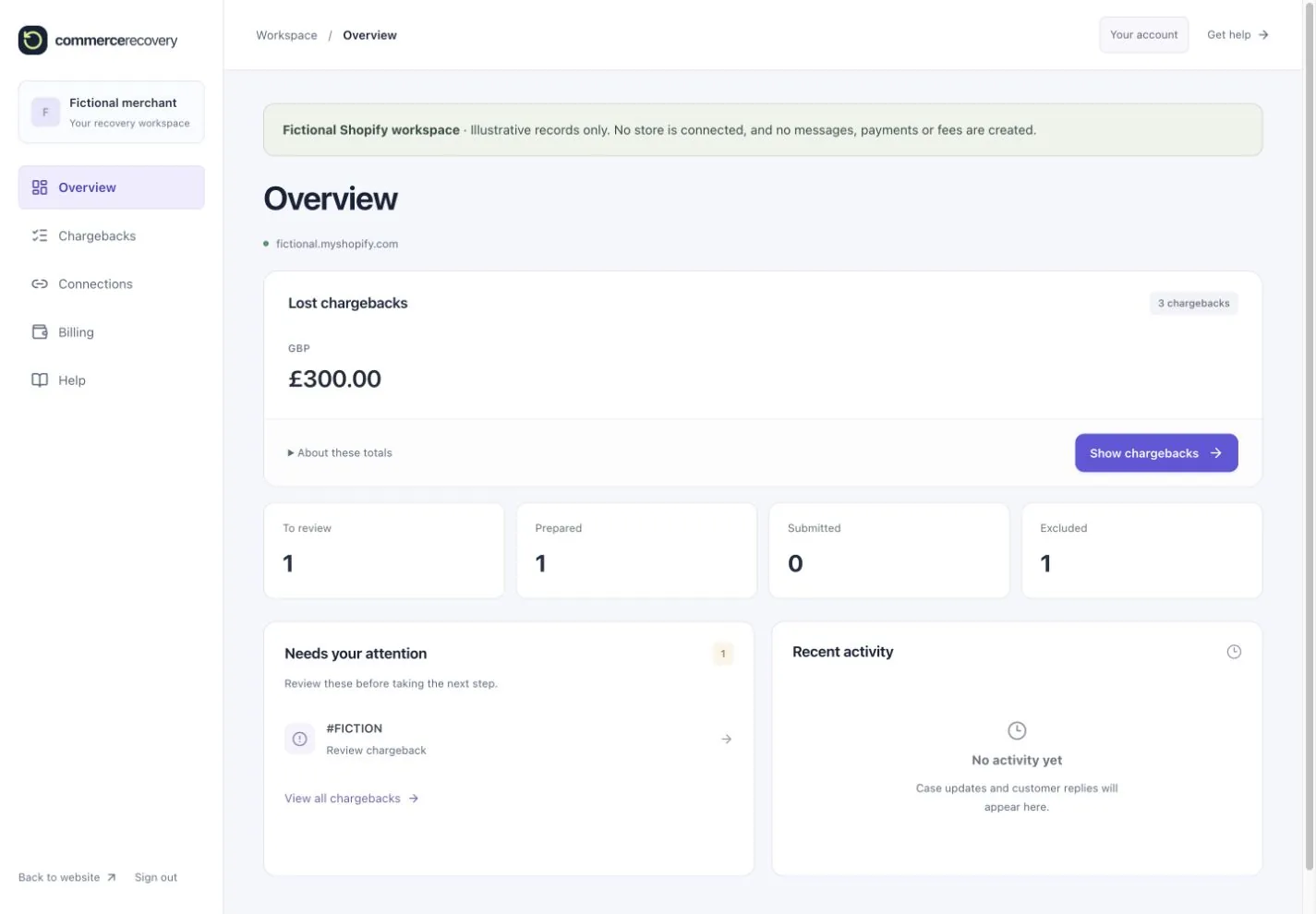
See the value of your synced lost chargebacks, then open the cases. Check the order, dispute reason, delivery, refunds and returns. Organise work into To review, Prepared, Submitted and Excluded. These are your workflow groups, separate from the bank’s dispute status.
Understand chargeback statusesApprove the next step. Stay in control.
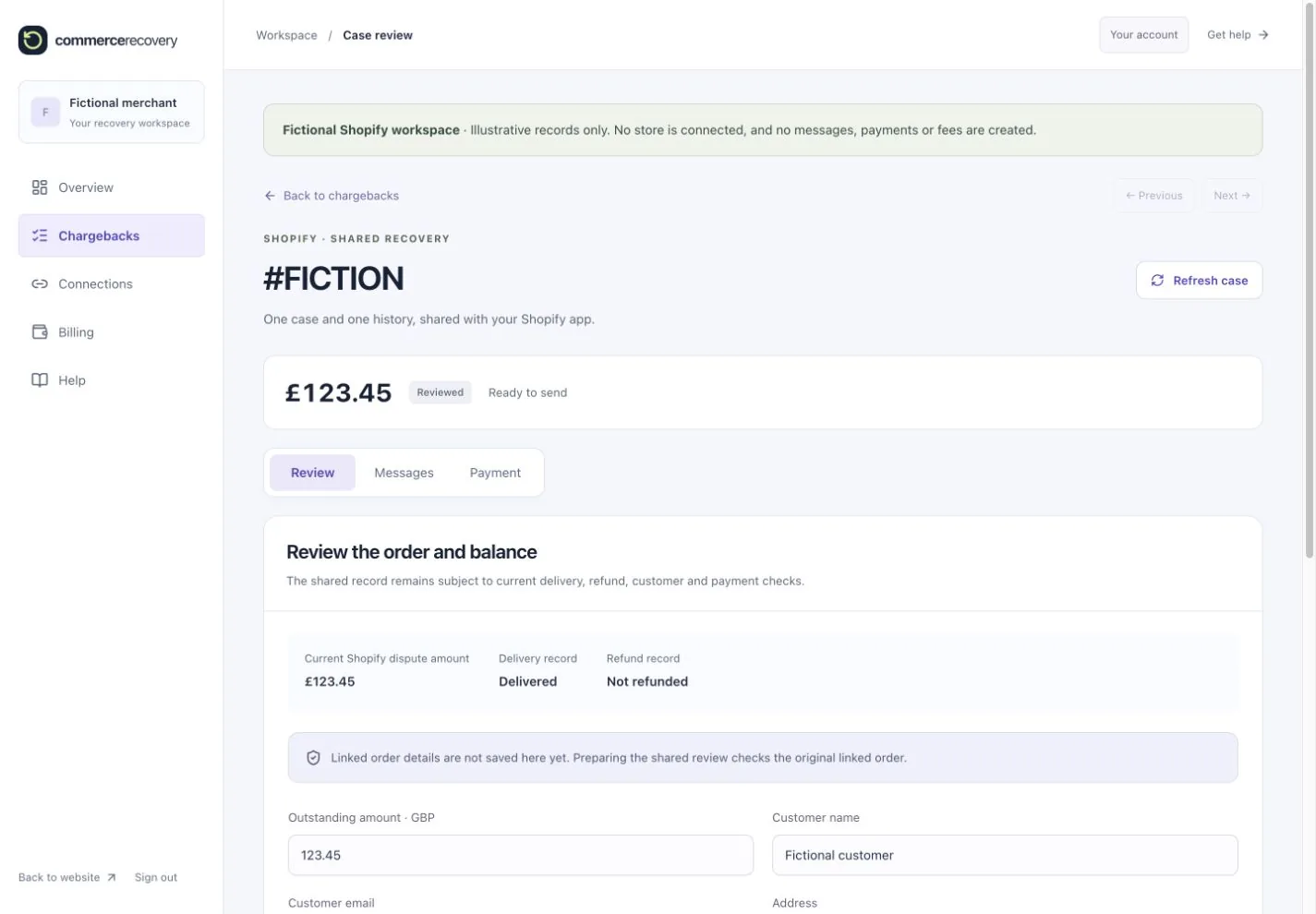
For an appropriate case, review the customer, recipient, message and payment request before approving them. Customers pay through your Shopify checkout. Shared messages, payments and stops stay connected between the app and website, so you can work from either.
Understand the recovery fee
See the workspace before you connect.
These illustrative views use the website’s workspace components with fictional Shopify records. The amounts are examples, not recovered money or merchant results.
See an illustrative case review
A loss is a starting point for review.
The disputed amount is not automatically an amount the customer owes. A refund, return, delivery issue or another valid concern may mean a case should be excluded or stopped. Commerce Recovery does not overturn the bank’s decision or guarantee a payment.
Read the post-loss review checklist →Start with your store.
Install the app, connect your website workspace and review your synced chargebacks.